0%

1. Load environment from .env file

  • Let say we have a .env file:

    WEBSITE_URL=https://hienhoang.ml
    USERNAME=hienhoang
    PASSWORD=p@ssword

  • Then run this script will load all environment variables to current shell terminal

    export $(grep -v '^#' .env | xargs)

  • You can also unset variables using below script

    unset $(grep -v '^#' .env | sed -E 's/(.*)=.*/\1/' | xargs)

2. Substitute all environment variables in a file

  • template.yml

    website: ${WEBSITE_URL}
    username: ${USERNAME}
    password: ${PASSWORD}

  • Run this script to substitute variable in the template.yml file and output to config.yml

    envsubst < template.yml > config.yml

  • Result is the config.yml

    website: https://hienhoang.ml
    username: hienhoang
    password: p@ssword

What's Vagrant?

Vagrant is a tool for building and managing virtual machine environments in a single workflow. With an easy-to-use workflow and focus on automation, Vagrant lowers development environment setup time, increases production parity, and makes the "works on my machine" excuse a relic of the past.

Why Vagrant?

Vagrant provides easy to configure, reproducible, and portable work environments built on top of industry-standard technology and controlled by a single consistent workflow to help maximize the productivity and flexibility of you and your team.

Getting Started

sudo apt update
sudo apt install virtualbox

curl -O https://releases.hashicorp.com/vagrant/2.2.9/vagrant_2.2.9_x86_64.deb
sudo apt install ./vagrant_2.2.9_x86_64.deb
Read more »

CloudFlare provides high security for the target website to hide their real server IP address. Make it harder for the hacker to attack the website real server. But it doesn't mean it is impossible. Let's find it out on one website - https://www.g2.com - use CloudFlare to hide it IP address.

1. Find DNS history records

I use SecurityTrails to find the domain DNS history.

Read more »

Getting Started

Capture all HTTP(S) traffic between your computer and the Internet with Fiddler HTTP(S) proxy. Inspect traffic, set breakpoints, and fiddle with requests & responses.

Download

On my laptop, I use the linux version. You can download here

wget -O fiddler.AppImage https://downloads.getfiddler.com/linux/fiddler-everywhere-1.4.1.AppImage
chmod u+x fiddler.AppImage
./fiddler.AppImage

Configuration

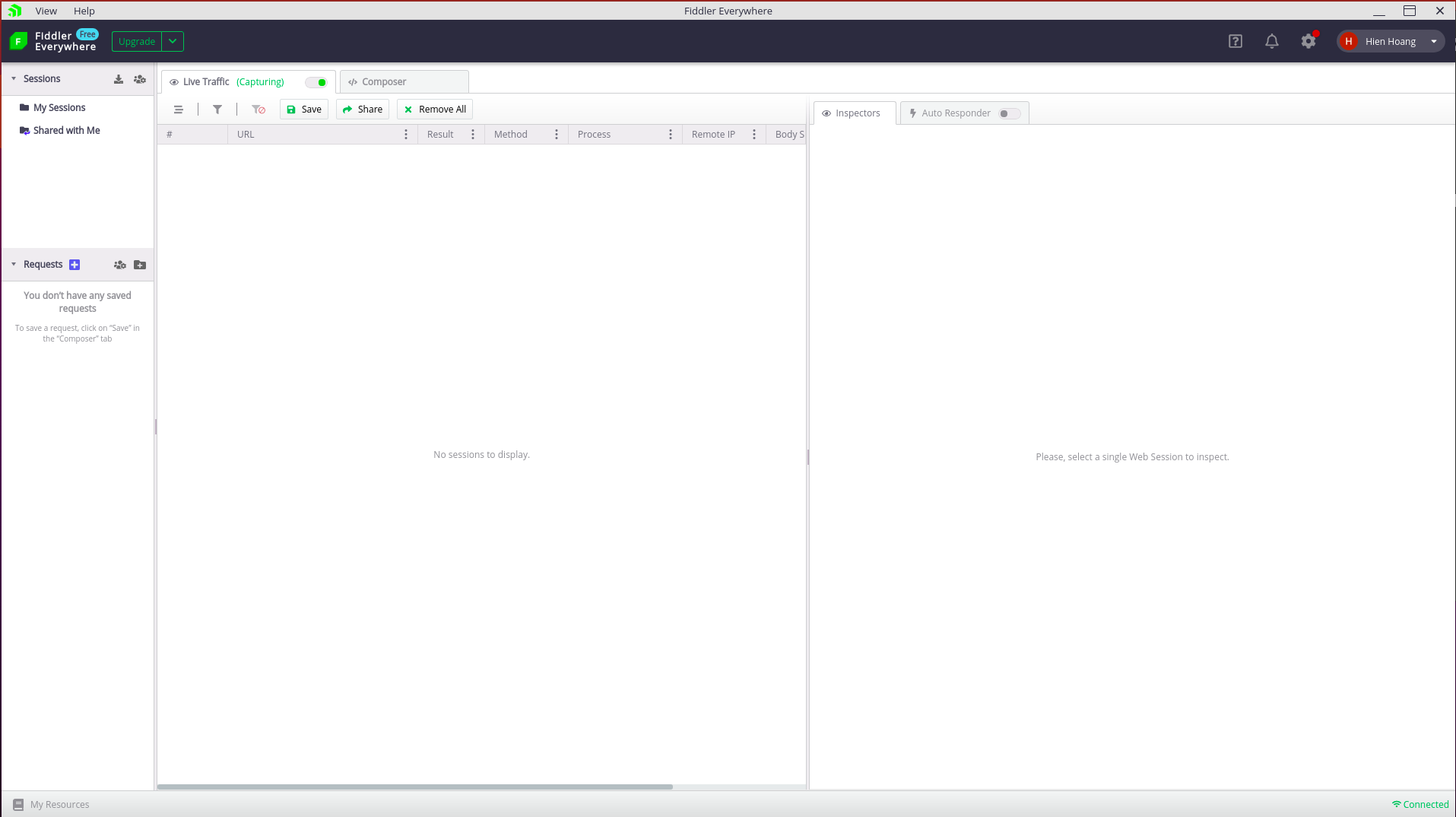
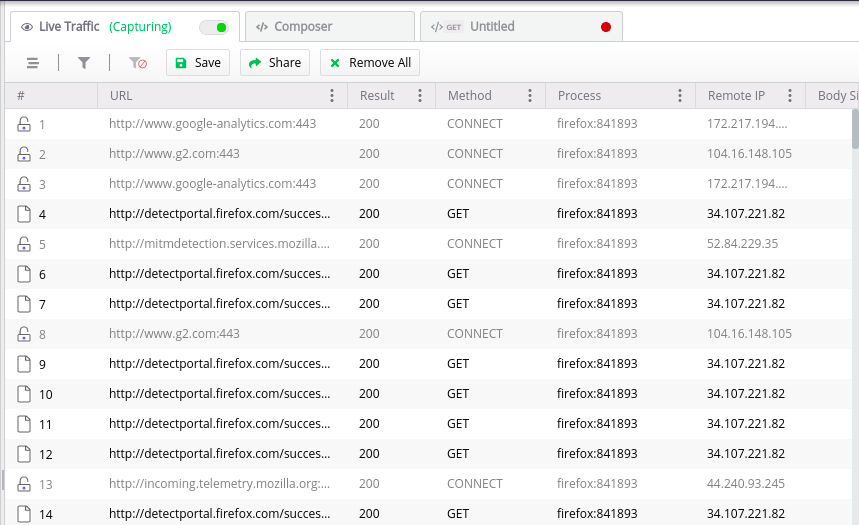
This is the main view of the tool

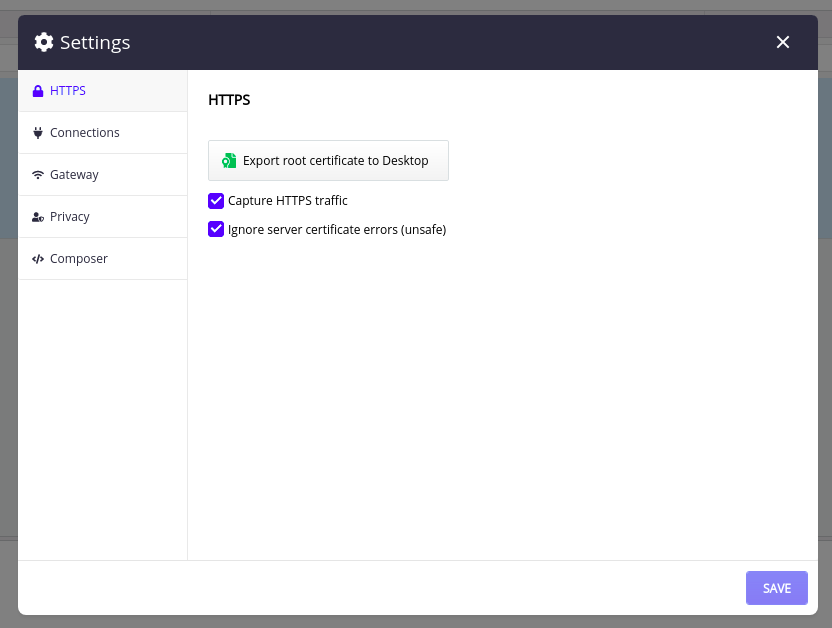
  1. To enable capture HTTPS View -> Preferences -> HTTPS. Click Export root certificate to Desktop, then enable Capture HTTPS traffic + Ignore server certificate error (unsafe). Click Save.

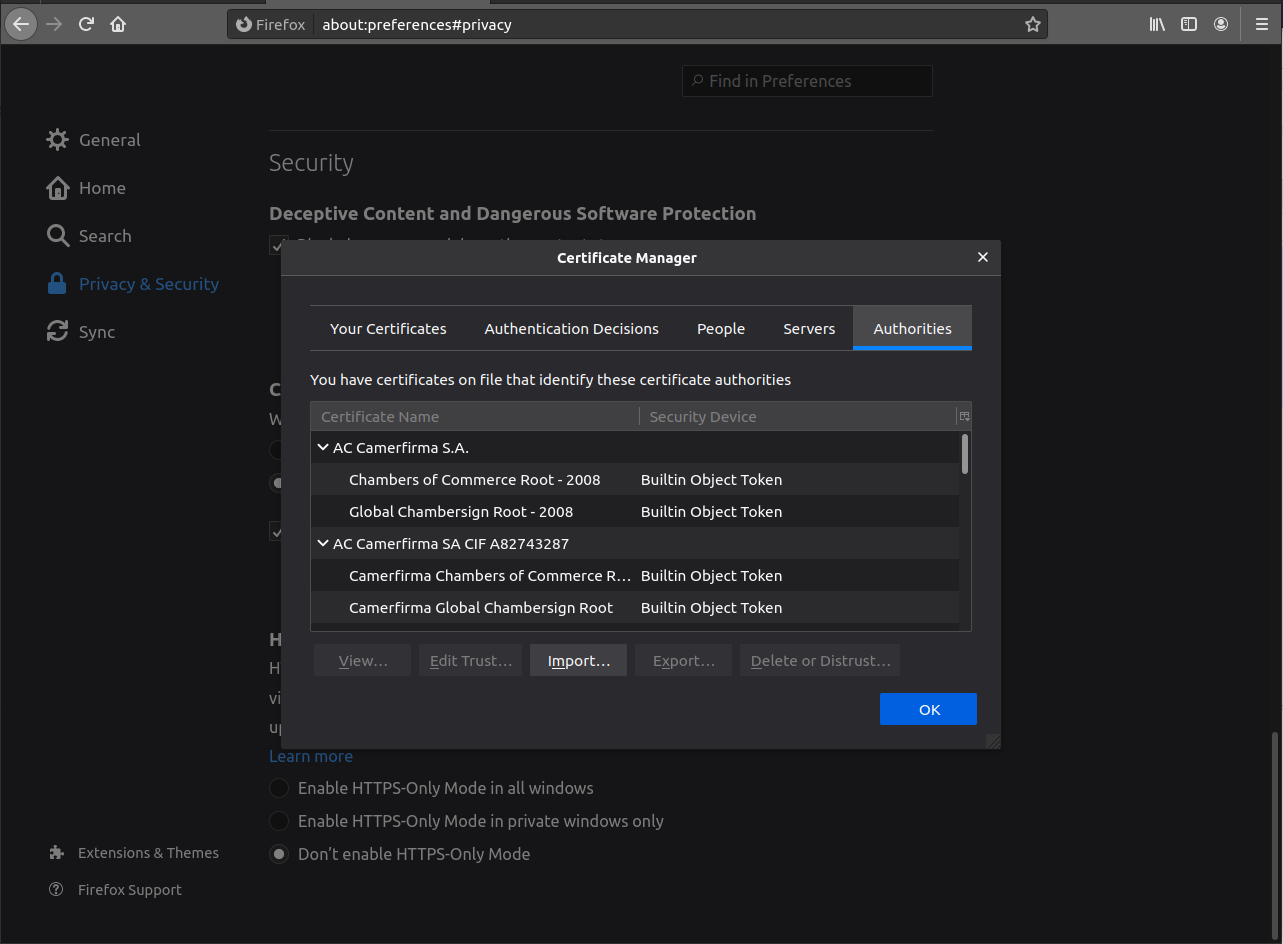
  1. Open any browser, go to the Certificate Preferences, Import the FiddlerRootCertificate.crt on the Desktop and enable Trust this certificate.

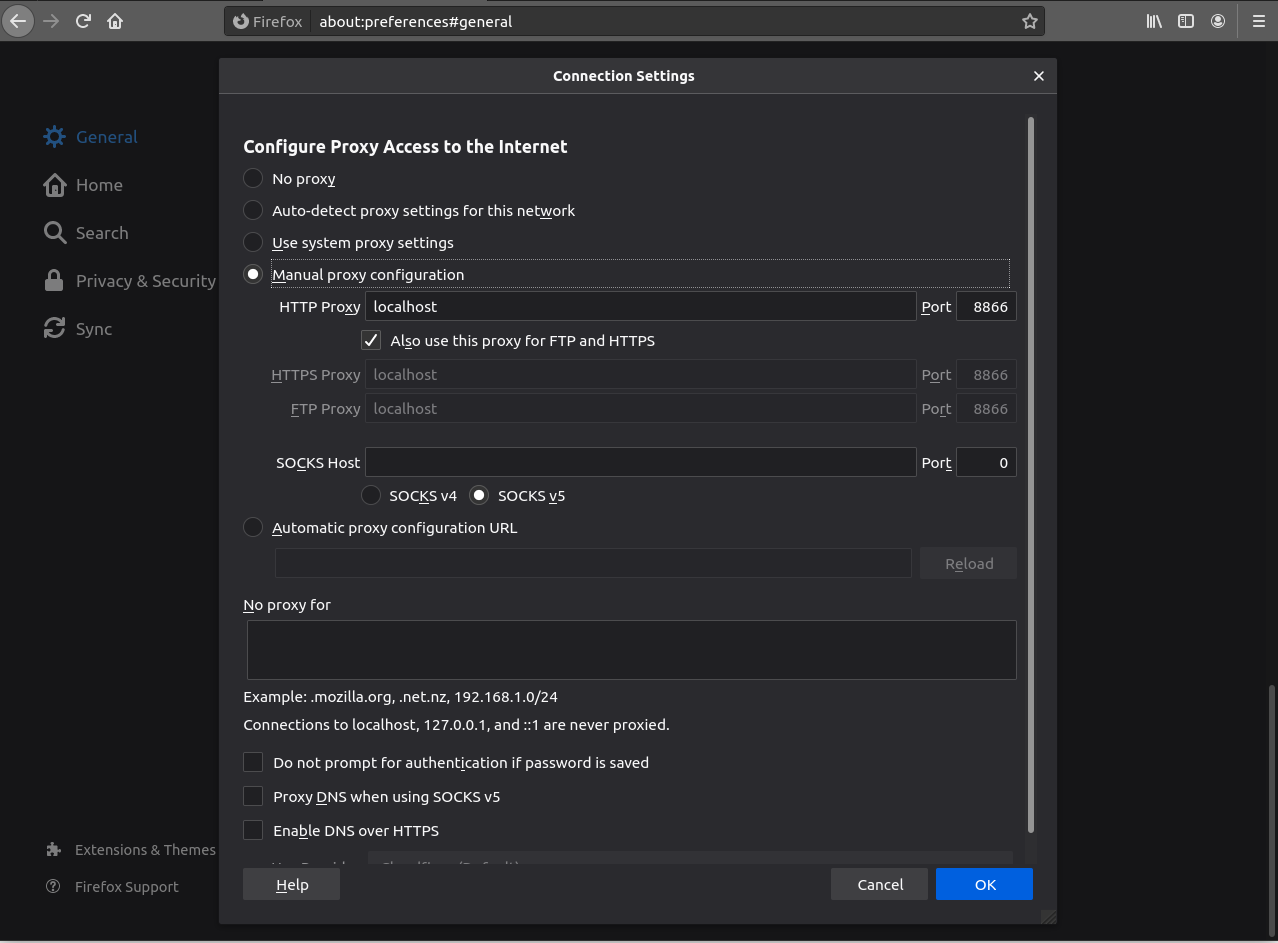
  1. Config Browser proxy to Fiddler localhost:8866

Experiement

Now open any Web Browser with any url. You will see all the network requests sent out using HTTP(s)